Pixel Studio4.13
Publisher Description
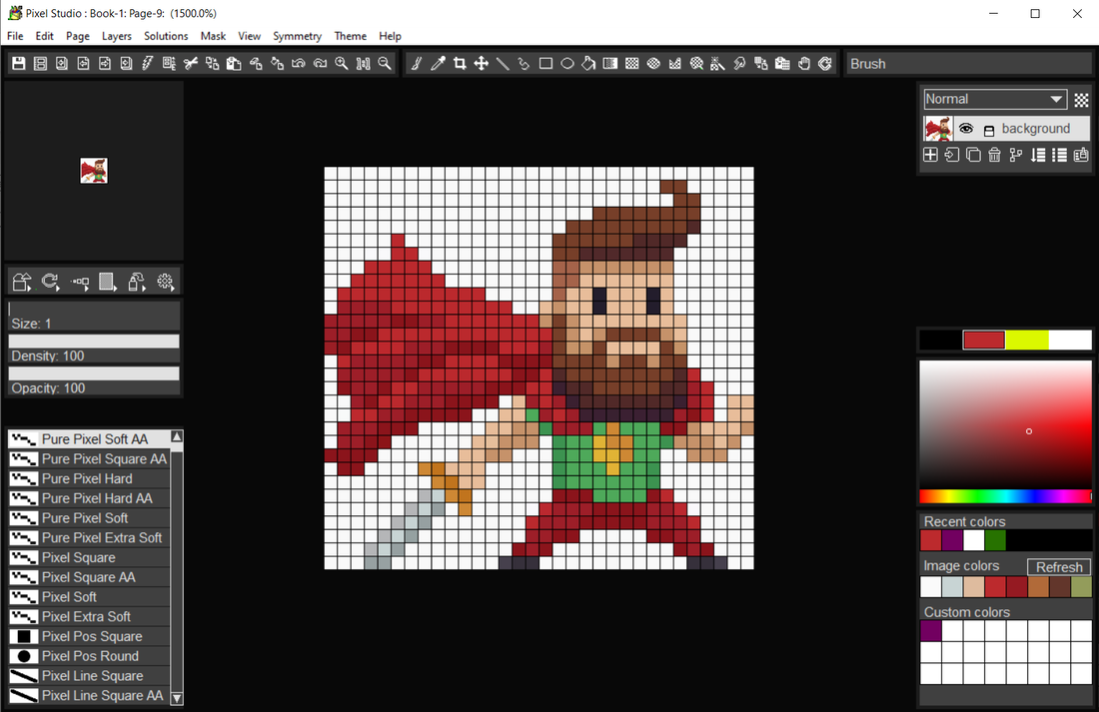
Pixel Studio follows the key strong points from all the of the Pixarra TwistedBrush artist software products but with a focus on pixel art. This art, sometimes called retro, makes no attempt to hide pixels and sizes of images are often very small. Useful as utility for creating icons, sprites, and other small images for games and websites but also for art on its own. There is no surprise that pixel art is popular, it is simply fun!
Features
Powerful pixel art editing
Specialized ArtSet for pixel art
Wide brush variety
64 bit color painting system for the smoothest blends available anywhere
Clean user interface, designed for an easy, quick work flow
Quick auto hiding tool panels
Extensive Toolset
Clips
Quick Command panel providing configurable array of buttons
Layers with easy access support
Powerful brush effects system: over 500 different effects that can be combined in 28 effect layers with each effect processed with 100's of modifiers
Brush compatibility with other Pixarra Studio products
Worlds most powerful and flexible brush engine with the Pixarra brush effects system
Automatic saving multiple copies of your work in progress
Tracing paper to use as a guide
Up to 9 floating reference Image panels to hold reference photos when working on your art
Sketchbook system that automatically saves your work to your sketchbook
Switching pages in your book with a single key press (Page Up or Page Down)
Saving your work to a range of standard image formats
Work with symmetry with all the standard Pixel Studio brushes
And many more features!
About Pixel Studio
This Editors program is available in English. It was last updated on 29 September, 2026. Pixel Studio is compatible with the following operating systems: Windows.
The company that develops Pixel Studio is Pixarra Inc. The latest version released by its developer is 4.13.
The download we have available for Pixel Studio has a file size of 32.5 MB. Just click the green Download button above to start the downloading process. The program is listed on our website since 2022-05-08 and was downloaded 139 times. We have already checked if the download link is safe, however for your own protection we recommend that you scan the downloaded software with your antivirus. Your antivirus may detect the Pixel Studio as malware if the download link is broken.
How to install Pixel Studio on your Windows device:
- Click on the Download button on our website. This will start the download from the website of the developer.
- Once the Pixel Studio is downloaded click on it to start the setup process (assuming you are on a desktop computer).
- When the installation is finished you should be able to see and run the program.
Program Details
System requirements
Download information
Pricing
Version History
version 4.13
posted on 2022-05-08
Lots of new features and updates, UI improvements and tablet compatibility.
version 3.03
posted on 2020-08-10
New Tools, New Brush Effects, Brush Control Panel, Clips, Copy and Paste Page, New UI Color Themes, New Hotkeys and more!
version 2.17
posted on 2018-06-29
New product
